Sports remix · November 6, 2026
Jimmy Butler AI Video Generator: Photo Remix
Make your Jimmy Butler AI video remix from a photo on MemeRadar. Watch the basketball reference, then choose 5, 12 or 15 seconds at one credit per second.
Create your video
Your photo
Length
Video format
Scene reference
Reference & examples
How the Jimmy Butler AI video generator works
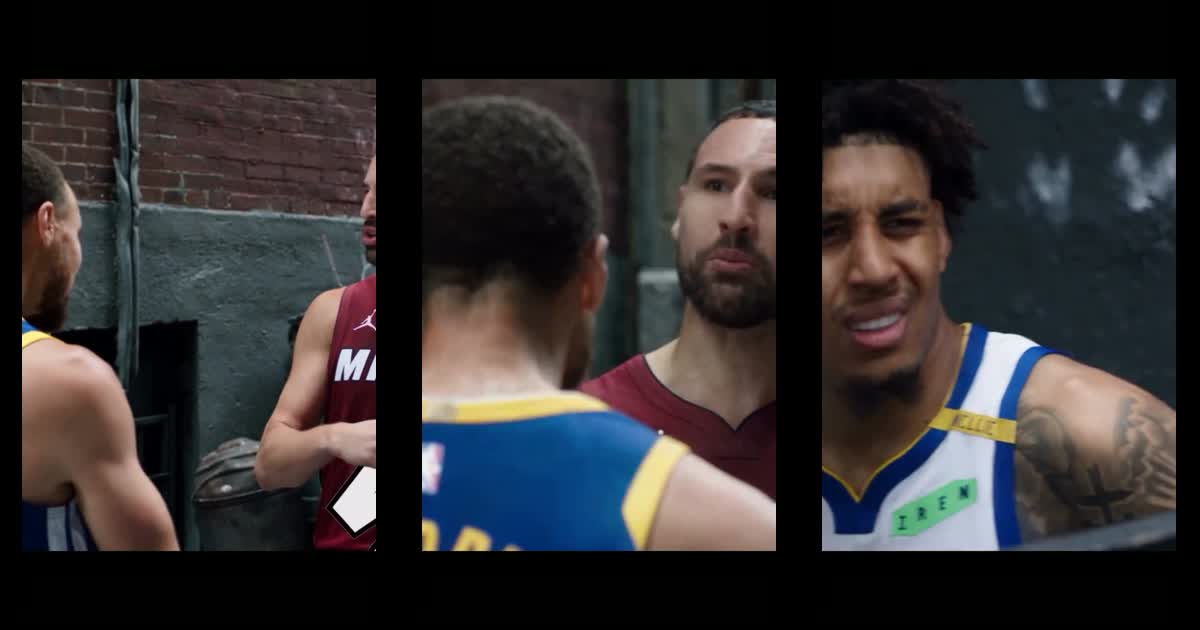
Put yourself in the Jimmy Butler AI video with one portrait. The template follows the basketball movie scene: familiar faces, a large white W and a win turned into a visual joke. Watch the reference, pick your photo and choose the part of the scene you want to remake.
The reference below the controls shows the scene and movement your remix will follow. Look at the camera angle and the character’s gestures before choosing a length. Your finished video appears separately when your task completes, with your uploaded portrait providing the replacement appearance.
Prepare a photo for the Jimmy Butler AI video generator
Choose one clear image of yourself or another adult who has agreed to this use. A face looking toward the camera, even lighting and an unobstructed head-and-shoulders view give the model a clearer input. Avoid a group photo: several faces leave the subject ambiguous. Strong filters, sunglasses and objects covering the face can also make important details harder to interpret.
Upload a JPG, PNG or WebP image up to 10 MB. Check the thumbnail for a clear face and the intended person. You can replace the file before submitting. If two portraits look equally sharp, choose the one with more even light across both cheeks and visible eyes; it will be easier to check against the moving face in the result.
Choose a length and check the credit cost
This template offers 5-, 12- and 15-second clips. Portrait 9:16 is the default; landscape 16:9 is also available. Those options use different-length reference segments. The 15-second option is the longest available generation here; the original meme video runs for about 27 seconds. Choose the segment for the moment you want to recreate rather than assuming the longest option contains the entire original scene.
The three lengths cost 5, 12 and 15 credits respectively. Sign in and buy a one-time credit pack through Pricing before submitting your first task. New accounts start with zero credits. Your balance and the selected task price appear in the form, so you can check the cost while your photo and length are still editable.
For a quick reaction, choose the shorter excerpt and watch where it ends in the reference. For a longer exchange, compare the twelve- and fifteen-second previews. Select the version whose final gesture makes sense with the caption you plan to add.
What happens after a video request?
After you press Generate, open My videos to follow the task from queued to rendering and then ready or failed. You can leave the page and return to your account later. Keep the existing task while it is processing; check its status before starting another submission. Rendering time varies with the queue and selected length.
A finished video can be downloaded as an MP4. Review the face, movement and scene before sharing: the reference guides the output, but it does not guarantee identical timing or details. If a render fails, its credits return to your balance. Keep the task ID when contacting support about a result, so the request can be identified.
Which Jimmy Butler meme is this?
The reference is the Blue Streak basketball remix associated with Butler’s Instagram post. Its joke turns a win into a large white W that Curry takes from Thompson. Watch the original-video example to recognize the scene, then read the linked explainer for the film reference, basketball context and related examples. The article and generator have separate pages, so you can understand the meme without making a video.
Sharing your remix
Treat the finished clip as an AI remix and say so when sharing it. A generated performance does not show a real event. Check that the person depicted agrees to the intended use and sharing, and review the Acceptable Use Policy linked in the footer. Permission to upload a photo does not itself grant rights to third-party film footage, music or other material you add.
Questions, answered
Does this remake include the whole Instagram video?
Choose a 5-, 12- or 15-second excerpt. The original reference is about 27 seconds, so even the longest option uses part of that scene.
What does each length cost?
Five seconds costs 5 credits, twelve costs 12 and fifteen costs 15. New accounts start with zero credits; buy a pack before submitting. Failed tasks return their credits.
Can I choose a landscape video?
Yes. Portrait 9:16 is the default, and landscape 16:9 is also available. Check the reference framing before choosing your output format.